

At Funda, we’ve centralised our native advertising setup to reduce complexity and improve scalability. Frontend Developer Lars Schuitema explains how introducing an ad server and reusable UI components helped us move from fragmented solutions to a more maintainable and consistent approach.

Native advertising has been part of the Funda platform for some time: paid content that matches the look and feel of the platform, blending in with the regular user experience. What has changed is how these advertisements are managed and displayed.
Previously, native campaigns were handled through various custom internal systems, each with their own configuration and templating logic. To address this, we introduced a third-party ad server as the central place for campaign management, together with a dedicated native ad UI component within our own Advertising package. The ad server consolidates configuration, targeting and reporting, allowing us to avoid the operational and technical complexity of running custom ad infrastructure, while still retaining control where it matters. The reusable UI component standardizes layout, interaction, tracking, legal compliance and integration with our design system.
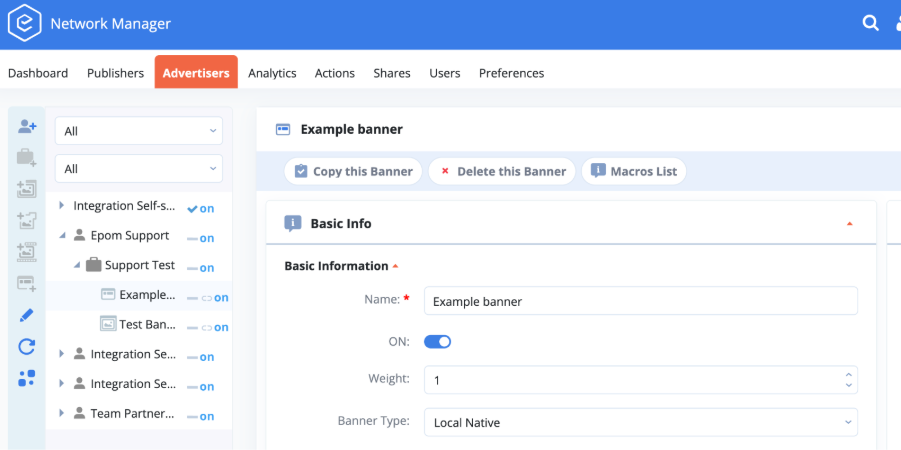
This shift centralizes campaign management in the ad server and presentation logic in the Advertising package, while keeping both concerns clearly separated. It creates a more modular and maintainable foundation for native advertising, while still allowing room for specialized components when campaign requirements differ, such as features that require displaying multiple advertisements at once or custom behaviour. This also enables us to gradually migrate existing native placements and native ad candidates into a single centralized place.
See also: Funda's journey transitioning to a headless CMS
The native ad UI component
Native advertisements are implemented through dedicated UI components that are integrated as part of the existing Advertising package. Each advertising slot is identified by a unique key. When the frontend loads a page, it passes this key to the ad server, which returns the appropriate advertisement and accompanying metadata for that position.
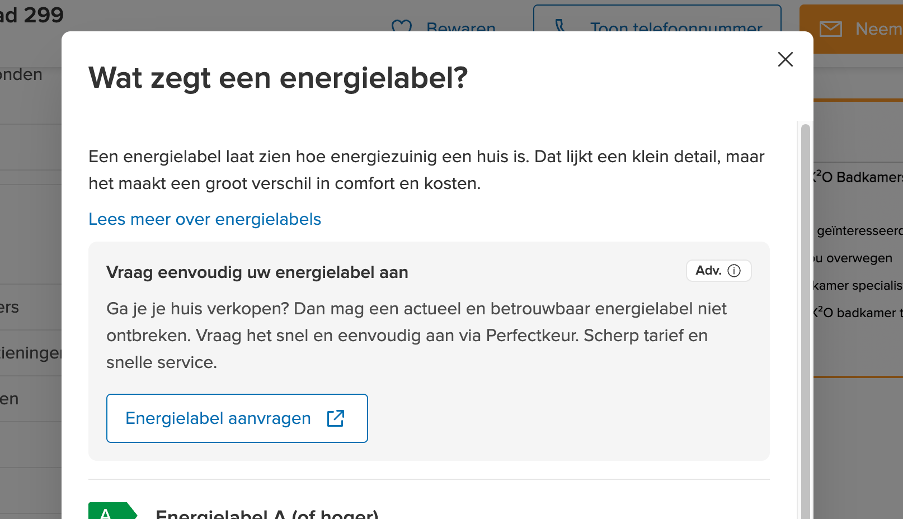
The UI component:
- Accepts a unique placement key as input
- Requests ad data from the ad server
- Renders the ad based on Funda’s design system and layout components
- Integrates legal compliance behaviour, tracking and layout control
It is built with Nuxt and follows the same architectural principles as our other shared UI components.
Transparency and legal compliance
Transparency is a core requirement for legal compliance in advertising. Because native advertisements are designed to blend in with editorial content, users must be able to clearly recognize when content is sponsored. The Digital Service Act requires that commercial content is identifiable as such and that users are informed about the advertiser behind it and why the ad is being shown.
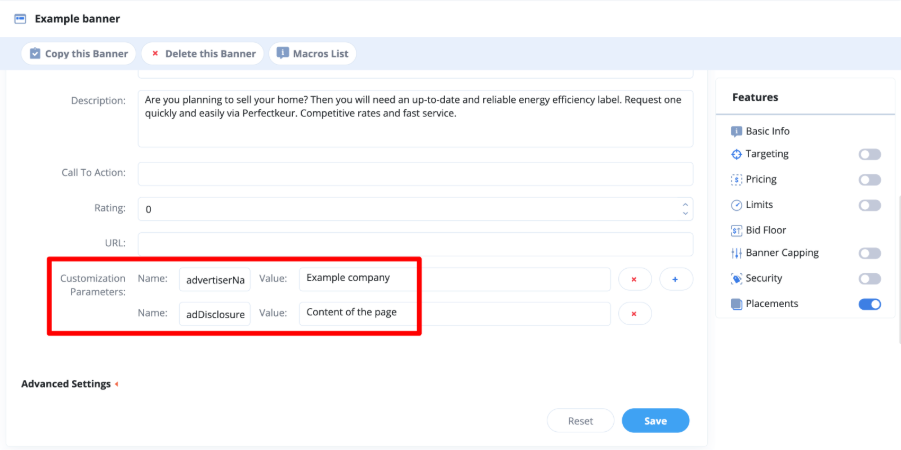
On the ad server, two configurable parameters are defined at banner level and returned as part of the ad response:
- Advertiser name: to identify the advertiser behind the ad
- Advertising disclosures: a list of items indicating why the ad is being shown
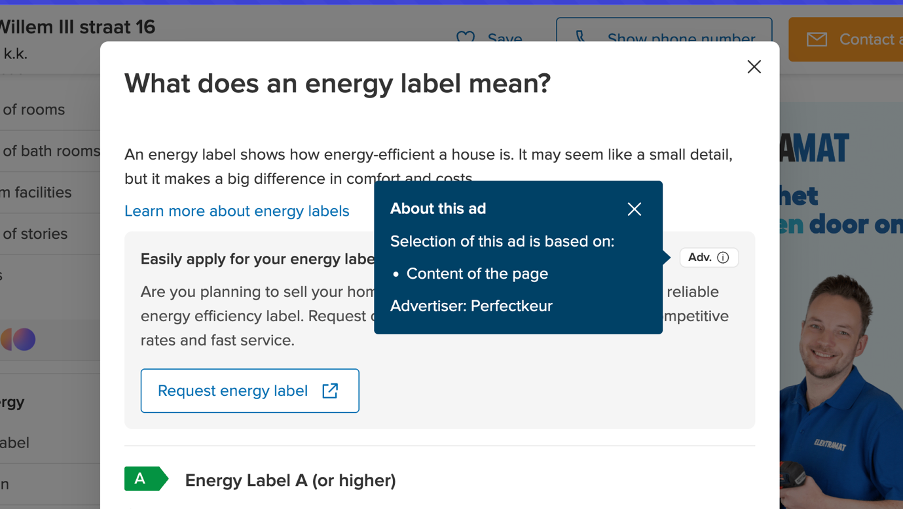
The native ad UI component retrieves the parameter values as part of the response and renders a legal label and popover that:
- Mark the content as sponsored
- Indicate why the ad is being shown
- Identify the advertiser
Compliance-related information is configured at the banner configuration level, while presentation and behaviour remain standardized in the component. Sponsored content is clearly labelled, and disclosure is forced consistently across all placements.
Multi-language support
Funda’s primary audience views the website in Dutch, which is also the default language of the platform, but users can switch between Dutch and English. The ad server does not provide field-level translations, but it does support language-based targeting.
To localize advertisements, we:
- Create separate banner variants per language
- Configure the language targeting for each banner
- Use the Accept-language header to request the ad based on the language selected by the user
Privacy-friendly tracking and performance monitoring
Impression and click tracking
Impressions are tracked using the Intersection Observer API based on a 50% visibility threshold. This means that an impression is only counted when at least half of the component is visible in the viewport. Clicks are tracked when a user interacts with the call-to-action (CTA) inside the native ad position.
Conversion tracking
For the first campaign, conversions were tracked via the advertiser’s own system. However, the ad server provides a mechanism to track conversions, allowing us to measure campaign performance and provide reporting.
See also: How we increased content platform traffic by 3000% with A/B testing
Non-personalized advertising
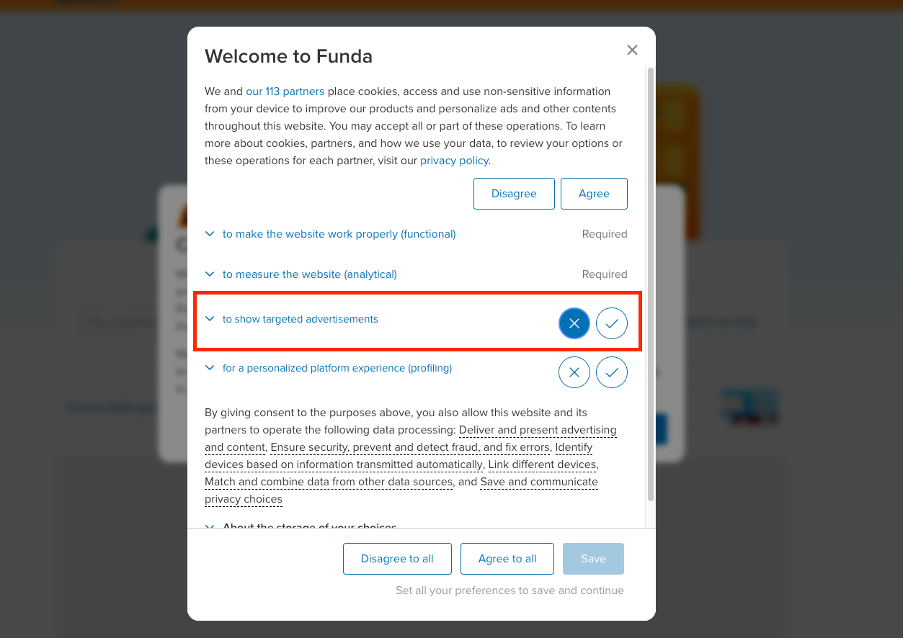
Because advertising does not require user tracking in all cases, native advertisements might still be shown without an opt-in consent given in the cookie banner. Non-personalized advertising refers to advertisements shown to users, regardless of their opt-in consent status.
Campaign performance monitoring
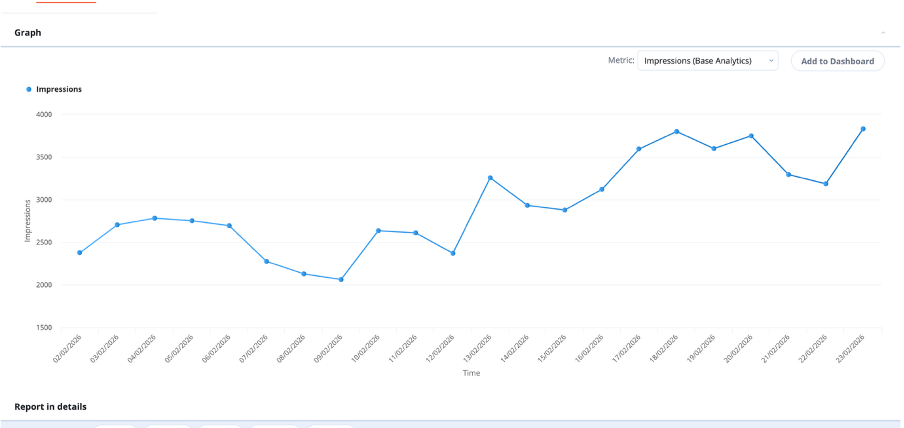
During the initial release, the ad server was still tracking individual users based on cookies, so we only showed advertisements to users who had given advertising consent. After disabling cookies globally, we released the feature to users who did not provide consent. Following this change, impressions increased by approximately 30%.
Reserved layout space
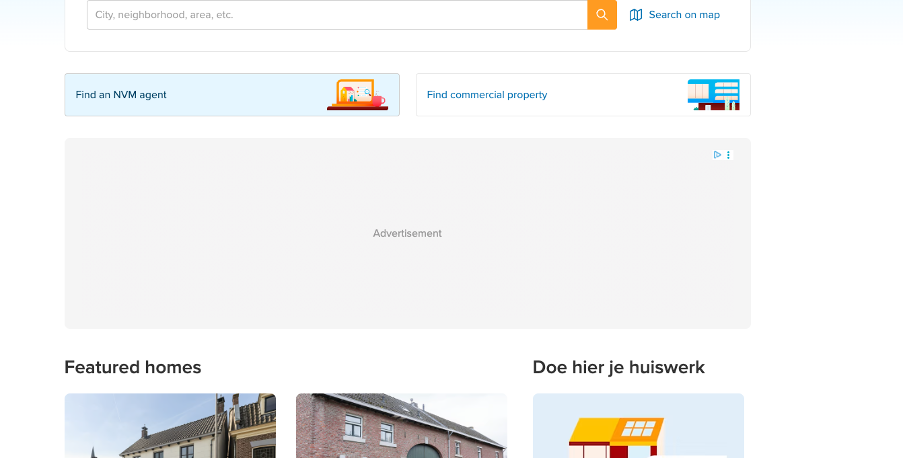
To prevent layout shifting when a native ad is loaded on the page, we reserve vertical space in advance. For this, we use the ad container UI component, which is part of our Advertising package.
Reserving space ensures that content does not jump when the ad response is returned and rendered. This protects page stability and contributes to a consistent user experience.
Handling variable native ad sizes
Unlike standard display advertisements with fixed dimensions, native advertisements vary in height depending on their content and the active breakpoint. This results in multiple possible render sizes.
To avoid maintaining all potential size combinations, we aligned native advertisements rendering with the breakpoints defined in our design system. For each breakpoint range, the ad container UI component reserves space for the tallest possible native ad within that range.
This means smaller advertisements may render with some additional spacing. However, restricting sizes to our predefined design system breakpoints makes the implementation more predictable and easier to maintain.
Reducing height variation with line clamping
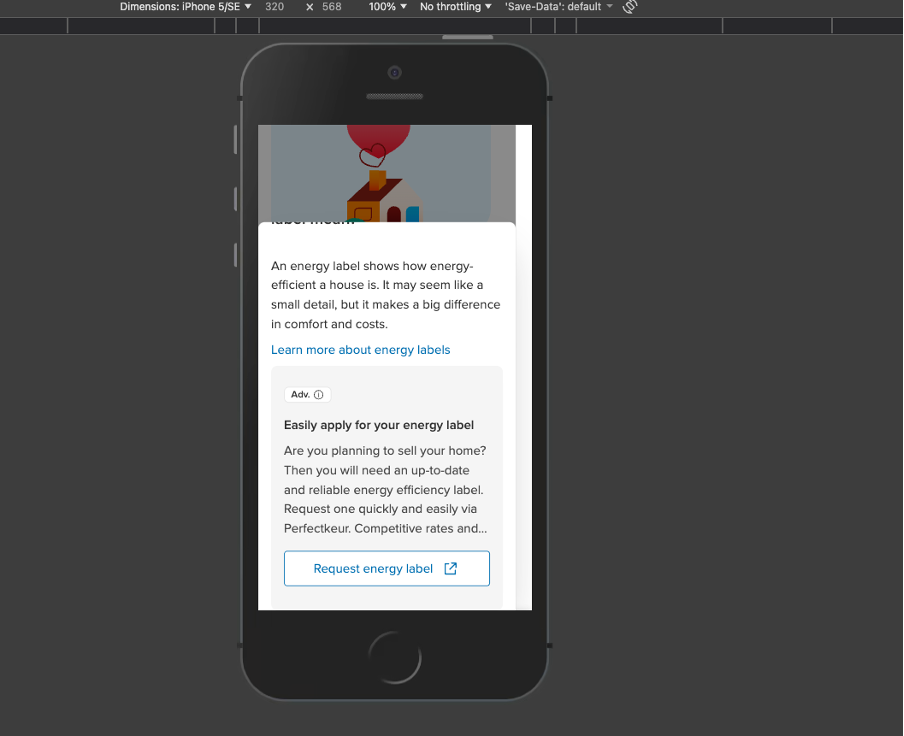
To further limit the number of possible native ad height variants, we constrained the description length using the CSS line-clamp property. This constraint is enforced at component level, because the character limit of fields cannot be configured on the ad server. If enough space is available, the full description is shown. Otherwise, the text is truncated to a defined number of lines.
Conclusions
By introducing an ad server and sharing native ad UI components within our Advertising package, we moved from a scattered to a more centralized native advertising setup. Campaign configuration, targeting, delivery and reporting are consolidated in a single platform, while presentation, compliance, tracking and layout behaviour are standardized in the frontend through reusable UI components.
Existing native placements and new candidates can move into the centralized setup. Rather than rebuilding ad logic for each context, we can use reusable UI components.
At the same time, the system remains flexible. The shared native ad component covers the standard use case, but it does not restrict us from introducing specialized components when campaign requirements demand different rendering or behaviour. Standardization therefore does not limit innovation; on the contrary, it provides a stable foundation for it.
With centralized campaign management, standardized presentation and behaviour, native advertising is now integrated into the platform in a way that is scalable, compliant and aligned with our lighthouse architecture.
Do you have a burning question for Lars after reading his blog? Feel free to reach out to him via email.